
Choosing a first laser cutter for acrylic is trickier than comparing wattage. Acrylic color and laser type determine what you can cut: many beginner-friendly diode machines handle dark or opaque sheets but struggle with clear acrylic.
These 10 options cover compact starters, larger work areas, and higher-output models. Use the buying guide below to match a machine to your materials, space, and safety setup before you buy.
Best 10 Laser Cutter for Acrylic for Beginners Picks for 2026
Roomy Workspace Pick

- 300 × 300 mm work area
- ACMER Studio, LightBurn, and LaserGRBL support
- Compatible enclosure sold separately
Best For: Beginners making signs or batches of small pieces
Compact Starter Pick

- 130 × 132 mm work area
- Approximately 99% preassembled
- Acrylic cutting capability not specified
Best For: First-time users making small engraved projects
Offline Workflow Pick

- Stated multi-pass cutting on 8 mm acrylic
- 11.8 × 7.9-inch work area
- App and TF-card offline controls
Best For: Beginners seeking documented acrylic cutting support
Dark Acrylic Engraving Pick
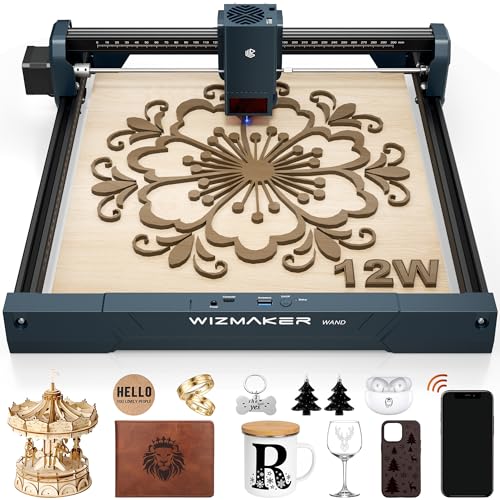
- 300 × 300 mm work area
- Engraves select dark opaque acrylics
- Class 4; acrylic cutting capacity unstated
Best For: Makers focused on dark-acrylic engraving
Best for a Spacious Starter Setup

- 400 × 400 mm work area
- Cuts up to 5 mm black acrylic, per maker
- Tool-free focus adjustment
Best For: Beginners making larger black-acrylic projects
Best for Faster Open-Frame Projects

- 400 × 415 mm workspace
- Stated one-pass cut through 5 mm black acrylic
- SD-card offline operation
Best For: Roomy, faster-paced black-acrylic crafts
Best Enclosed Option

- Fully enclosed 300 × 300 mm design
- Flame, tilt, and emergency-stop protections
- Acrylic cutting thickness not specified
Best For: Enclosed crafting and small-batch projects
Best for Dark Acrylic Cutting

- 10W laser output
- Stated one-pass cut through 3mm black acrylic
- Wi-Fi, USB, and SD card transfers
Best For: Beginners prioritizing dark acrylic cuts
Best for Detailed Engraving
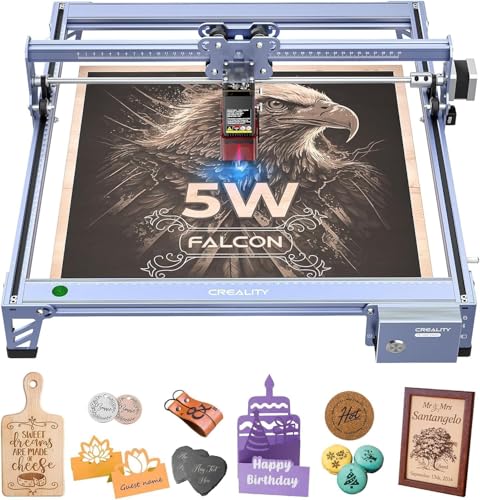
- 0.06-by-0.06mm laser spot
- 400-by-415mm working area
- Active stop on detected movement
Best For: Beginners focused on detailed engraving
Best for Flexible Control

- Stated one-pass cut through 8mm acrylic
- Wi-Fi, USB, and TF card connectivity
- 380-by-370mm working area
Best For: DIY makers wanting flexible design transfers
Roomy Workspace Pick – ACMER S2 12W
If you’re looking for a laser cutter for acrylic for beginners, the ACMER S2 offers a generous 300 × 300 mm workspace and supports compatible acrylic. Results depend on the material and its surface finish, so confirm your acrylic is suitable before planning a project.
Best For: Beginners who want space for signs, layered designs, or batches of small pieces.
Pros:
- 11.8 × 11.8-inch work area fits larger layouts.
- ACMER Studio combines design editing, material settings, and machine control; LightBurn and LaserGRBL are also supported.
- Motion protection pauses operation when abnormal movement is detected.
Cons:
- The compatible enclosure is sold separately and must be properly installed for the complete system’s Class 1 classification.
- Acrylic results vary by material and surface finish.
The S2 is a practical choice when workspace matters, but budget for the required enclosure and verify acrylic compatibility before buying.
The ACMER S1 is a compact entry point for shoppers searching for a laser cutter for acrylic for beginners, but its supplied details emphasize engraving rather than stating a specific acrylic cutting capability. Its 130 × 132 mm work area suits small personalized projects.
Best For: First-time users focused on small engravings and a setup with minimal assembly.
Pros:
- Arrives approximately 99% preassembled, with specified laser-head installation and setup remaining.
- Works with free ACMER Studio as well as LightBurn and LaserGRBL.
- Approximately 2 kg aluminum-alloy frame is easy to move between suitable workspaces.
Cons:
- 130 × 132 mm work area limits project size.
- The supplied details do not specify acrylic cutting performance; check material compatibility before use.
Choose the S1 for a small, approachable engraver. If cutting acrylic is your main goal, verify that it can handle your intended material and thickness first.
For anyone comparing a laser cutter for acrylic for beginners, the K15 Pro stands out for its stated multi-pass cutting support on acrylic up to 8 mm. Its near-A4 workspace and TF-card offline operation also make it worth considering for small craft batches.
Best For: Beginners who want acrylic cutting claims alongside app-based and offline control options.
Pros:
- Supports multi-pass cutting on acrylic up to 8 mm, according to the supplied product notes.
- 11.8 × 7.9-inch work area fits compact craft layouts.
- Offers CutLabX app control, LightBurn and LaserGRBL compatibility, and TF-card offline jobs.
- Includes starter materials, tools, and safety glasses.
Cons:
- Cutting 8 mm acrylic calls for multiple passes.
- Its narrower work area may constrain wider projects.
The K15 Pro has the clearest stated acrylic cutting capability in this group. Match your acrylic and project dimensions to the machine’s specifications before starting a job.
The WIZMAKER Wand 12W deserves a look in a laser cutter for acrylic for beginners search if your projects involve engraving select dark opaque acrylics. Its supplied notes specify wood cutting up to 8 mm, but do not state an acrylic cutting thickness.
Best For: Makers who want a roomy desktop engraver for select dark opaque acrylic and other listed materials.
Pros:
- 300 × 300 mm work area leaves room for signs and multiple smaller items.
- Supports engraving select dark opaque acrylics, plus wood, leather, MDF, and other listed materials.
- Offers Wi-Fi, hotspot, or USB connections and a detailed beginner guide.
Cons:
- Class 4 laser requires appropriate precautions during operation.
- Acrylic cutting performance is not specified in the supplied notes.
The Wand 12W is better supported by the supplied specifications as a dark-acrylic engraver than as an acrylic cutter. Consider it if engraving flexibility matters more than a stated acrylic cutting capacity.
Best for a Spacious Starter Setup – KENTOKTOOL LE400 PRO 5.5W
If you’re shopping for a laser cutter for acrylic for beginners, the LE400 PRO offers a 400 × 400 mm work area and a stated cutting capacity of up to 5 mm black acrylic. Its tool-free focus knob and claimed 10–20-minute assembly make it approachable for a first workshop setup.
Best For: Beginners making black-acrylic projects who want room for larger designs.
Pros:
- 400 × 400 mm work area with measurement marks on both axes.
- Tool-free focus adjustment and a stated 0.08 mm square laser spot.
- Supports LightBurn and GRBL-compatible software.
Cons:
- The stated acrylic cutting capacity is specifically for black acrylic, not clear acrylic.
- Round-object engraving requires an additional roller.
The LE400 PRO is a practical choice when workspace and straightforward setup matter most. Plan projects around its stated black-acrylic capability rather than assuming it will cut every acrylic color.
Best for Faster Open-Frame Projects – Creality Falcon 10W
For buyers comparing a laser cutter for acrylic for beginners, the Creality Falcon 10W pairs a 400 × 415 mm workspace with a stated one-pass cut through 5 mm black acrylic. Its listed speed of up to 10,000 mm/min also makes it worth considering for repeat designs.
Best For: Beginners who want a roomy work area and faster cutting for black-acrylic crafts.
Pros:
- Stated one-pass cutting through 5 mm black acrylic.
- 400 × 415 mm workspace and a 0.06 × 0.06 mm compressed laser spot.
- Supports LightBurn, LaserGRBL, and SD-card offline operation.
Cons:
- The supplied notes specify black acrylic; they do not establish clear-acrylic cutting performance.
- A module-level UV filter and included goggles do not replace a fully enclosed setup.
The Falcon stands out for its stated cutting capacity and generous workspace. Beginners should still plan appropriate ventilation and eye protection for an open-frame machine.
Best Enclosed Option – L2 MAX 20W
If an enclosed design is your priority in a laser cutter for acrylic for beginners, the L2 MAX 20W combines a 300 × 300 mm work area with a full enclosure, flame detection, tilt protection, and an emergency stop. The supplied notes list acrylic among its engraving materials but do not specify an acrylic cutting thickness.
Best For: Beginners who prioritize an enclosed workspace and plan to make detailed crafts or small batches.
Pros:
- Full enclosure plus flame detection, tilt protection, automatic shutdown, and emergency stop.
- 20W laser with a listed speed of up to 20,000 mm/min.
- Supports LightBurn, LaserGRBL, and CutLabX, with Wi-Fi, USB, app, and TF-card control options.
Cons:
- 300 × 300 mm work area is smaller than the other two machines here.
- No acrylic cutting thickness or color-specific cutting capability is given in the supplied notes.
The L2 MAX is the strongest fit here for shoppers who want built-in shielding and multiple control options. Confirm that it can cut your intended acrylic before choosing it specifically for acrylic cutting; an enclosure does not eliminate the need to manage fumes.
Best for Dark Acrylic Cutting – Creality CR-Laser Falcon 10W
If you’re choosing a laser cutter for acrylic for beginners, this 10W Falcon stands out for its stated ability to cut 3mm black acrylic in one pass. Its 17-by-16-inch work area also gives you room to try projects beyond small ornaments.
Best For: Beginners who want to cut dark acrylic and explore wood, leather, and engraving projects.
Pros:
- 10W output with a stated single-pass cut through 3mm black acrylic.
- Includes a focusing plate and has a stated assembly time of 10–20 minutes.
- Supports beginner-oriented LaserGRBL, as well as Wi-Fi, USB, and SD card transfers.
Cons:
- The acrylic cutting claim specifically names black acrylic, not clear acrylic.
- Its anti-UV filter is described as filtering 97% of UV rays, not providing complete protection.
The 10W output and straightforward focusing setup make this a practical choice if cutting dark acrylic is your priority. Match your first projects to the materials and thicknesses the listing actually specifies.
Best for Detailed Engraving – Creality Falcon 5W
For shoppers comparing a laser cutter for acrylic for beginners, the Falcon 5W is worth considering when detailed engraving and work-area size matter more than a stated acrylic cutting thickness. Its 400-by-415mm working area leaves space for larger designs.
Best For: Beginners focused on detailed engraving across acrylic, wood, and leather.
Pros:
- Fine 0.06-by-0.06mm laser spot for intricate designs.
- Engraving speeds are stated at up to 10,000mm/min.
- Eye-protective cover and active stop function when movement is detected.
Cons:
- The supplied specifications do not state an acrylic thickness it can cut in one pass.
- Rotary roller and raisers are optional purchases.
Choose this model for its stated precision and generous work area, but don’t assume its 5W output will match a higher-power model’s acrylic cutting capability. Check whether your intended acrylic project fits the listed capabilities.
Best for Flexible Control – ACMER P1 S Pro 6W
If you want a laser cutter for acrylic for beginners with several ways to send designs, the ACMER P1 S Pro 6W supports Wi-Fi, USB, and TF card connectivity. ACMER also states that it can cut 8mm acrylic in a single pass, although the supplied notes do not specify the acrylic type.
Best For: DIY makers who want flexible connectivity and room to work on larger designs.
Pros:
- Stated single-pass cutting capability for 8mm acrylic.
- 380-by-370mm working area and modular frame designed for quick installation.
- Works with ACMER Studio, LightBurn, and LaserGRBL across Windows, macOS, and Linux.
Cons:
- The supplied notes do not identify which type of acrylic the 8mm cutting claim applies to.
- Rotary attachment is optional rather than included.
Its connectivity and software choices offer useful flexibility as your projects grow. If the 8mm cutting claim is central to your purchase, confirm that it applies to the acrylic you plan to use.
How We Picked the Best Laser Cutter for Acrylic for Beginners
We prioritized practical differences across the 10 selected machines: stated optical output, work area, enclosure or guarding, connectivity, and the acrylic types each listing claims to support. We also looked for specifications that beginners commonly misread. A machine advertised as “50W” or “72W,” for example, may draw that much electrical power while delivering substantially less laser output. Manufacturer claims are a starting point, not proof of cutting depth or speed; check the current listing and sample results for the exact material you plan to use.
Quick Comparison
For small projects and a modest footprint, the ACMER S1 has a 130 × 132 mm stated work area. The ACMER P1 S Pro, LE400PRO, and several Creality models offer more room or familiar beginner-oriented configurations. The WIZMAKER Wand and the listed 20W-output machine target buyers who want a 300 × 300 mm workspace with more cutting potential. The ACMER S2 is worth considering if its stated Class 1 configuration meets your needs, but confirm what that rating covers in the exact setup sold. Compare verified optical output, usable bed size, and included safety hardware rather than relying on product-name wattage alone.
Key Buying Factors for a Laser Cutter for Acrylic for Beginners
Acrylic Compatibility Comes First
Most machines in this roundup are diode lasers. Blue-light diodes generally work best on dark, opaque acrylic; clear, translucent, and some light-colored sheets may transmit the beam and cut poorly or not at all. If clear acrylic is your main material, consider a CO₂ laser instead of assuming a stronger diode will solve the problem. Check whether the seller specifies cutting rather than engraving, along with the acrylic color, thickness, and number of passes.
Output, Workspace, and Workflow
Compare stated optical laser power, not electrical input. Higher output can improve cutting capability, but results still depend on focus, speed, air assist, sheet formulation, and thickness. Choose a bed large enough for your intended blanks with room to position them; a compact machine saves space but can limit batch work. Before purchasing, confirm software compatibility, connection options, replacement-part availability, and whether essentials such as an enclosure, exhaust equipment, and air assist are included or cost extra.
Ventilation and Fire Safety
Laser cutting acrylic produces fumes and odor. Use suitable extraction vented outdoors or a properly specified filtration setup; an open window alone is not a dependable plan. Never leave a running laser unattended. Protect your eyes with an appropriate enclosure or laser-rated eyewear as directed by the manufacturer, and keep a suitable fire extinguisher nearby. Do not cut PVC, vinyl, or unidentified plastics.
Who Should Buy Which Laser Cutter for Acrylic for Beginners?
Choose a compact model such as the ACMER S1 for occasional small, dark-acrylic projects when space matters most. Look at the larger-area 6W–12W options if you mainly engrave and want room to grow. Consider the stated 20W-output model if cutting compatible opaque acrylic is the priority, after confirming its actual performance and safety accessories. If you primarily need clean cuts in clear acrylic, skip these diode-focused picks and shop for an appropriately sized CO₂ machine.