
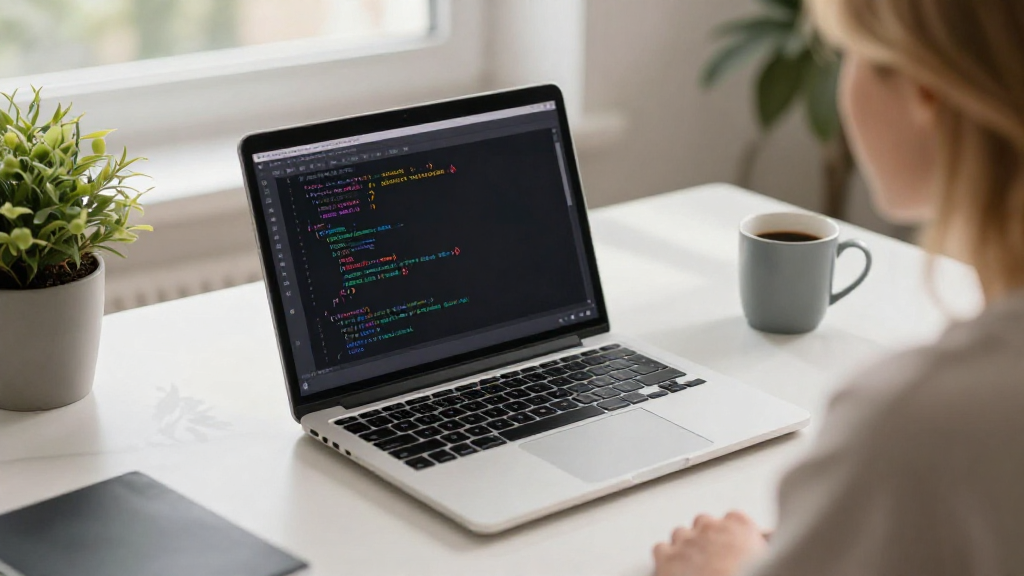
If you’ve ever wondered how to begin learning CSS, you’re not alone. Cascading Style Sheets (CSS) is a fundamental technology for web development, and mastering it can open the door to building beautiful and functional websites.
What is CSS and Why Should You Learn It?
CSS stands for Cascading Style Sheets, and it is a style sheet language used to describe the presentation of a document written in HTML or XML (including SVG and XHTML).
Here are some key reasons why you should prioritize learning CSS:
-
Control Over Design:
– CSS gives you the ability to change colors, fonts, layouts, and overall aesthetics of your web pages. -
Responsive Design:
– Learning CSS allows you to make your websites mobile-friendly by using media queries for different devices. -
Separation of Content and Design:
– With CSS, you can separate HTML content from design, making your code cleaner and more maintainable. -
Improved User Experience:
– A well-styled website enhances usability and keeps visitors engaged. -
Job Opportunities:
– Proficiency in CSS is often a requirement for web development positions.
With these benefits in mind, let’s look at how to begin learning CSS effectively.
How Can You Start Learning CSS Step by Step?
If you’re ready to dive into how to begin learning CSS, follow these steps:
1. Get Familiar with the Basics
Start by understanding fundamental concepts and terminology. Key CSS concepts include:
- Selectors: They determine which HTML elements to style.
-
Types of selectors include:
- Element selectors, e.g.,
div - Class selectors, e.g.,
.example - ID selectors, e.g.,
#example
- Element selectors, e.g.,
-
Properties: The attributes you want to change, such as
color,font-size, andmargin. -
Values: The specific settings for your properties, e.g.,
red,16px,10px.
2. Utilize Online Resources
There are numerous online resources you can use to start learning CSS effectively. Here are some popular ones:
- FreeCodeCamp: Offers an interactive platform for hands-on practice.
- W3Schools: Features beginner-friendly tutorials and references.
- MDN Web Docs: Provides a detailed and comprehensive guide for web developers.
- Coursera: Offers several CSS courses from various universities.
3. Set Up Your Development Environment
To practice CSS, you’ll need a few tools.
- Web Browser: Google Chrome, Firefox, or any browser of your choice.
- Text Editor: Options such as Visual Studio Code, Sublime Text, or Atom.
- Local Server (Optional): Tools like XAMPP or MAMP can help run your files locally.
Setting up your development environment will help you experiment with code in real-time.
4. Experiment with Code
Practical experience is one of the best ways to learn how to begin learning CSS.
- Create a simple HTML file and link it to a CSS file using the
<link>tag. - Start applying styles to different elements and see what changes occur.
Here’s a basic example:
<!DOCTYPE html>
<html lang="en">
<head>
    <meta charset="UTF-8">
    <meta name="viewport" content="width=device-width, initial-scale=1.0">
    <link rel="stylesheet" href="styles.css">
    <title>My First CSS Page</title>
</head>
<body>
    <h1 class="main-title">Welcome to CSS!</h1>
    <p>This is my first paragraph with CSS styling!</p>
</body>
</html>
In your styles.css, start with something simple:
body {
    background-color: #fafafa;
    font-family: Arial, sans-serif;
}

.main-title {
    color: blue;
    text-align: center;
}
5. Learn Through Projects
Once you grasp the basics, challenge yourself with small projects. Here are a few ideas:
- Create a Personal Blog Page: Experiment with layouts, fonts, and colors.
- Build a Portfolio Website: Showcase your skills and any completed projects.
- Design an Online Resume: Utilize different CSS properties to make it visually appealing.
6. Explore Advanced CSS Techniques
As you become more confident in your CSS skills, you should explore advanced techniques such as:
- Flexbox: A layout model that allows for responsive web design.
- CSS Grid: A powerful tool for creating complex layouts.
- Animations: CSS can also be used to create captivating animations and transitions.
You can find tutorials and guides on these topics as you progress.
7. Participate in the Community
Engaging with others can enhance your learning experience.
- Join forums and communities like Stack Overflow, CSS-Tricks, or Reddit.
- Attend webinars and local meetups to network with fellow learners and professionals.
- Collaborate on open-source projects on platforms like GitHub.
8. Keep Practicing!
Finally, the most important part of learning CSS is consistency.
- Dedicate time on a regular basis to practice coding.
- Create new projects or enhance existing ones to apply what you learn.
- Continuously seek out new challenges as you improve your skills.
Where Can You Find Additional Resources?
A variety of platforms can provide more in-depth CSS knowledge:
- Books: “CSS: The Definitive Guide” and “Learning Web Design” are great resources.
- YouTube Channels: Channels like The Net Ninja and Traversy Media offer valuable video tutorials.
- Interactive Courses: Websites like Udemy and Pluralsight offer courses tailored to different skill levels.
Conclusion: How to Begin Learning CSS
In conclusion, learning CSS is a rewarding journey that every aspiring web developer should embark upon.
By understanding the basics, leveraging online resources, experimenting with code, and engaging with the community, you will become proficient in how to begin learning CSS in no time.
Remember, with practice and patience, you can master the art of web design to create stunning websites. Start today, and enjoy the process of becoming a skilled CSS developer!